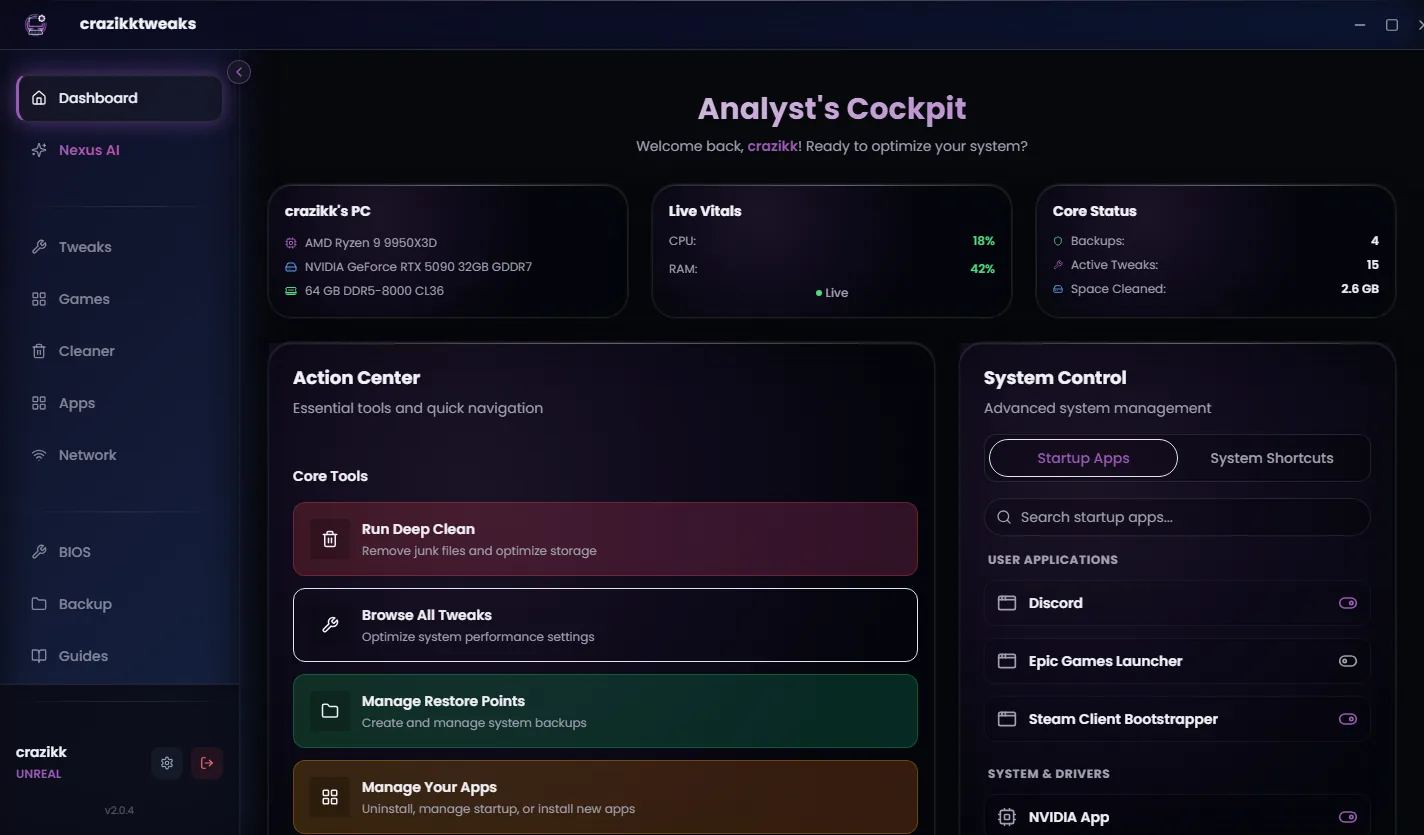
A FiveM session does more than render GTA V. Voice chat, streamed content, overlays, launchers, browser tabs and Windows services all compete for the same PC. Even when average FPS looks acceptable, that competition can show up as weak 1% lows, inconsistent frame delivery, slow loading and input that feels heavier than it should.
START · FREE PC SCAN
See what is taking performance before you buy anything.
The free crazikktweaks experience gives you one place to review your system baseline and available optimization paths. It is the lowest-friction way to find whether background load, power, cleanup, memory pressure or latency settings deserve attention.
Review hardware context, Windows state, startup load and the optimization tools available to your setup.
Focus first on changes that can create useful headroom for long, demanding FiveM sessions.
Unlock deeper tuning only after you understand what the paid workflow adds for your PC.
Install the free version, inspect the baseline and keep the choice to upgrade in your hands.
01 · LOCAL HEADROOM
FiveM exposes the weak points in a busy Windows setup.
The goal is not one magical switch. It is to reduce avoidable competition around the game and give the client a cleaner, more consistent environment.
Startup apps, launchers, overlays and services can consume CPU time and memory throughout the session.
An inconsistent local power and scheduling baseline can make frame pacing feel worse than the average FPS suggests.
Memory pressure, paging and a crowded drive reduce the headroom available for streamed content and long sessions.
Network, input and Windows latency controls matter most when they are measured and applied as one deliberate plan.
02 · ONE CONTROLLED WORKFLOW
Stop collecting tweaks. Build an optimization path.
- Clean the baseline
Review startup load, unnecessary background activity and supported cleanup areas without relying on random scripts.
- Tune for the way you play
Use the available performance, game, power and latency controls with their scope visible before applying them.
- Keep recovery close
Use restore context and review-first actions so deeper tuning does not mean losing control of the PC.
- Return to the same FiveM test
Compare the same route, graphics settings and session conditions so the result belongs to your setup—not to a cherry-picked screenshot.
The gain depends on your hardware and real bottleneck. The product value is a structured way to remove supported local limits, measure the result and keep the path back visible.
03 · CHOOSE YOUR LEVEL
Start free. Unlock the depth that fits your FiveM setup.
System overview, baseline diagnostics and free optimization tools. The right first step for every setup.
Core Windows tuning, cleanup and startup review, latency controls, Nexus AI and restore workflow.
Everything in Premium plus the broader supported game-profile, network and BIOS-preparation workflow.
The complete supported toolset for advanced users on a dedicated gaming PC, with important compatibility tradeoffs.
It adds the gaming, network and BIOS-preparation layer to the complete Premium baseline. Choose Unreal only when you understand and accept its stronger compatibility tradeoffs.
04 · VERIFY THE RESULT
Your own before-and-after is the benchmark that matters.
| Step | What to keep consistent | What to watch |
|---|---|---|
| Before | Same route, graphics settings, overlays and session length | Average FPS, 1% lows, frametime spikes, load time |
| Optimize | Apply one reviewed group of supported changes | What changed, restore status and restart requirement |
| After | Repeat the same route and conditions | Consistency, responsiveness and remaining local limits |
Cfx documents cl_drawperf true for client-side performance data. Use it alongside a repeatable route and the metrics your hardware tools provide; do not judge the entire result from a single peak FPS number.
Reviewed 20 August 2026
Sources and review notes
Platform requirements and interfaces can change. We use primary owner documentation for the technical baseline and keep product claims limited to supported PC-side work.